Open practice
On the Study screen, press “Practise words you know”. It uses the words you have started.
To practise one part of the course, use “Practise this unit” on the Path or “Practise this theme” on the Themes tab.
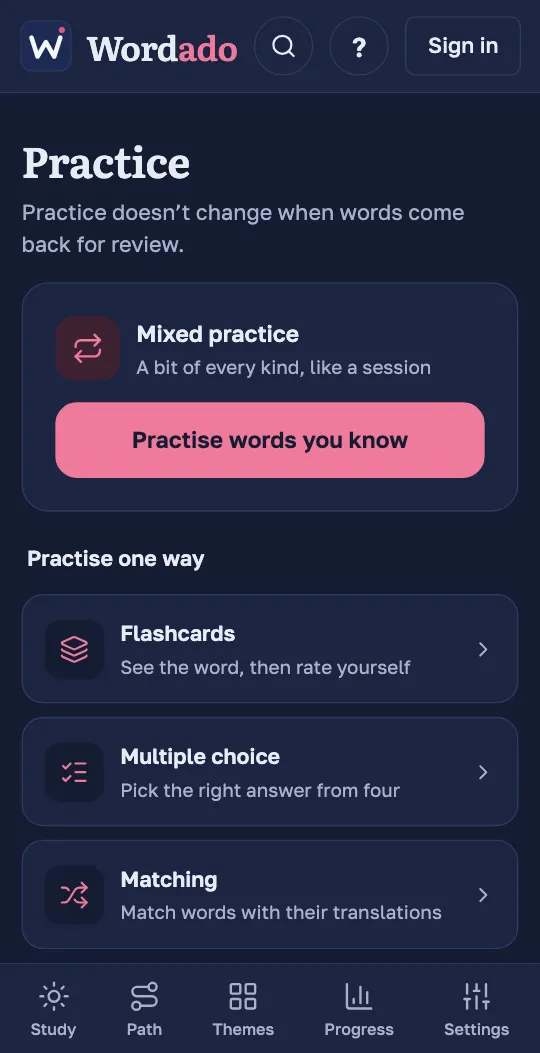
Mixed, or one way
“Mixed practice” gives a bit of every kind of question, like a session. Under “Practise one way” you choose Flashcards, Multiple choice or Matching.
A round has up to ten words. Words you know less well come up more often. “Practise more” starts another round.
A whole unit or theme
Practice of a unit or a theme covers all its words, also the ones you have not started. Their card says “New to you”. Practising such a word does not start it.
Tip: Do you want to keep a new word? After its answer, press “Learn this word”. It comes up in your next sessions.
Matching
Matching shows five words and five translations. Pick a word, then its translation, until all pairs are matched. After a wrong pair you simply pick again. There is no clock.
Matching needs five words.
What practice counts for
Each practice answer gives 2 XP and counts toward your daily goal. On a day with no reviews waiting, one practice answer is enough for your streak.