Choose your language
Open app.wordado.com. Wordado asks “Which language do you speak?” Words are explained in this language. You can change it later in Settings.

Choose your level and a goal, or skip them
Next, Wordado asks for your level. Choose it yourself, or take the short test. Then you can set a daily goal. Both steps are optional: press “Skip”.
With an account, the setup also asks what you want the language for, for example “What do you want English for?” Pick a theme and its words come first.
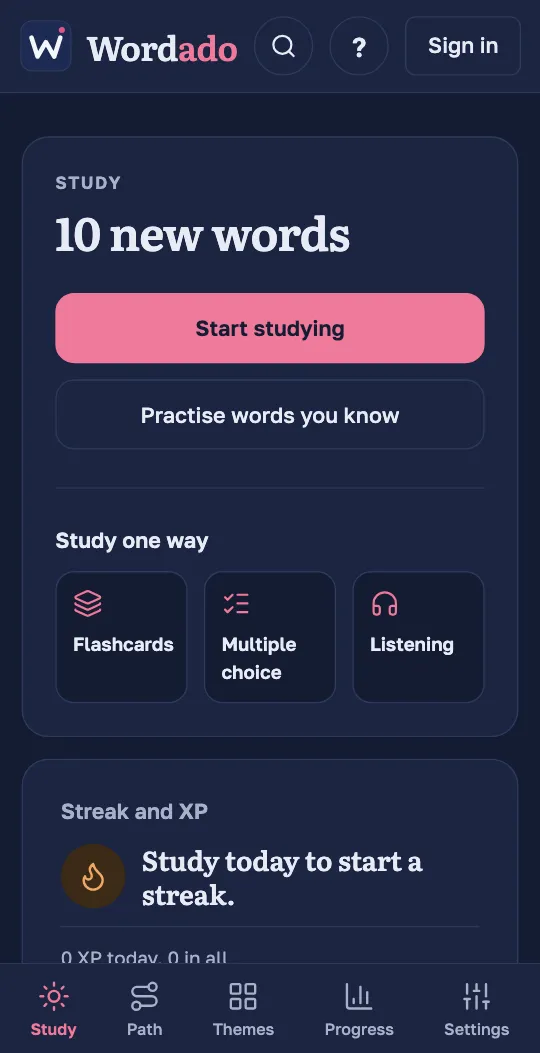
Press “Start studying”
The Study screen shows how many words are waiting for you today. One button starts them all.
Tip: Do you want only one kind of question? Choose it under “Study one way”.
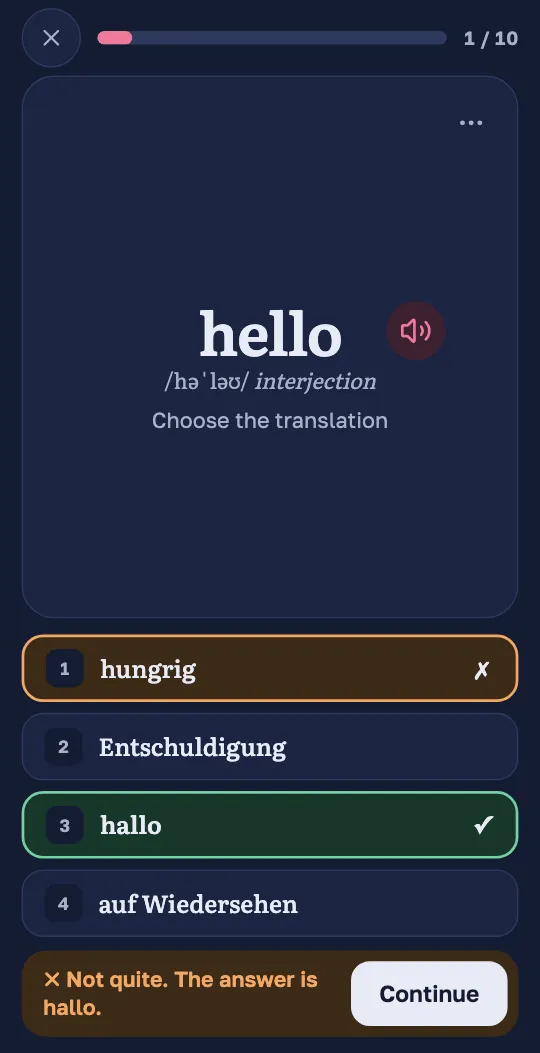
Answer each question
Tap an answer, or press its number on a keyboard. After a right answer the next question comes by itself. After a wrong answer Wordado shows the right one and waits until you press “Continue”.
Come back tomorrow
When the session ends, Wordado has already planned when each word comes back. Tomorrow the Study screen shows the words to review and your new words.
Tip: Without an account you study the demo: one unit of your level. Your progress stays on this device. A free account gives you the whole course.
Getting started · 3 min
Your first session
From opening Wordado to finishing your first words. You need a few minutes and no account.